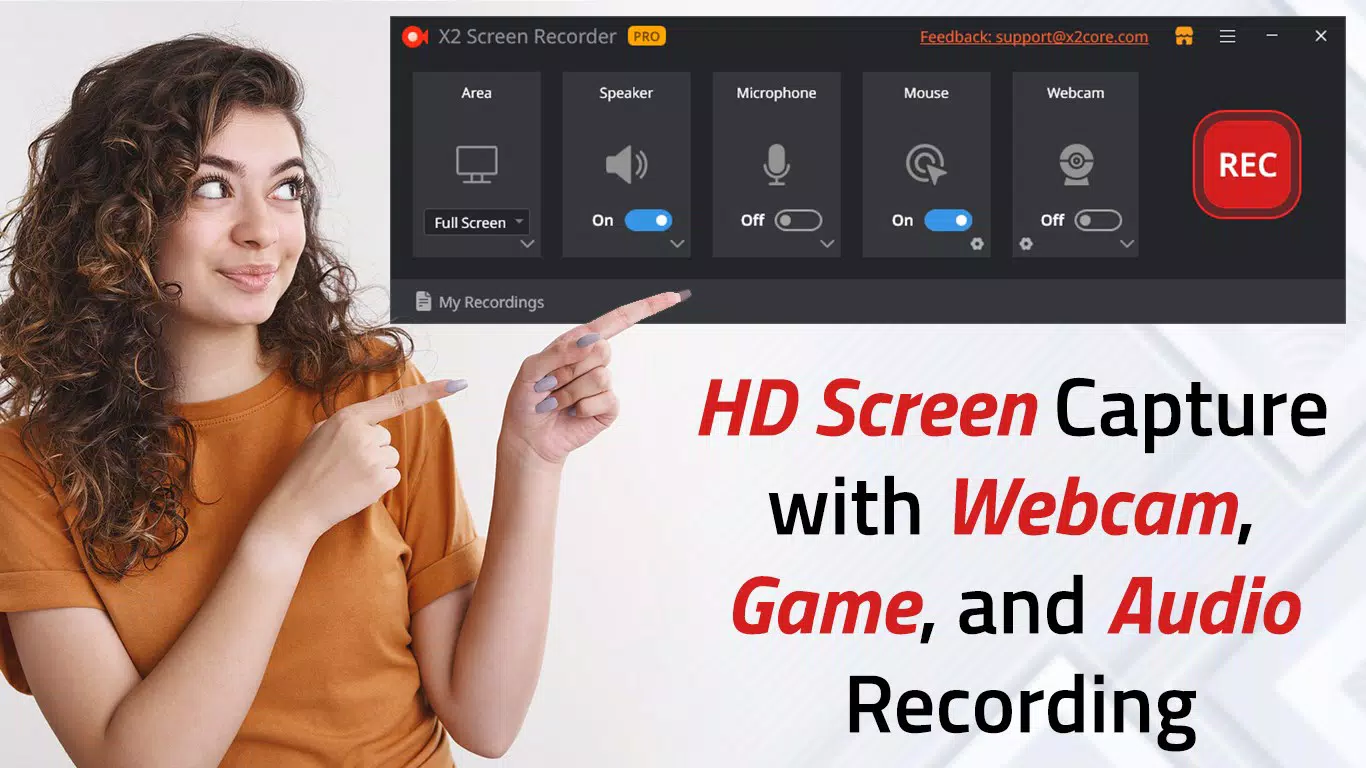

Download X2 Screen Recorder - Record Screen – HD Recording, Audio Sync, Webcam, Region Capture
Overview
X2 Screen Recorder – Record Screen is a dedicated mobile application designed to simplify the process of capturing screen activity on smartphones. Its primary purpose is to enable users to record high-quality video content directly from their device’s display, making it ideal for a wide range of practical applications. Whether creating educational content such as online lectures or step-by-step tutorials, documenting gameplay for social media, or preparing professional business presentations, this app provides a streamlined solution for content creators and everyday users alike.
The app targets individuals who require reliable screen recording tools without the complexity of desktop alternatives. It caters to students, educators, gamers, remote workers, and digital content producers who value clarity, control, and ease of use. While specific developer background details are not provided, the app’s functionality suggests a focus on performance and user experience, aiming to deliver a polished tool within the mobile productivity ecosystem.
Real-world use cases include recording app walkthroughs for user onboarding, capturing live streams or game sessions for YouTube, or adding personal commentary to screen demonstrations. The ability to record both system audio and microphone input simultaneously enhances the app’s utility in instructional and professional settings. In the current mobile content landscape, where video creation is increasingly accessible, X2 Screen Recorder fills a niche by offering a focused, efficient, and ad-free alternative to fragmented or feature-limited built-in recording tools.
Key Features & Functionality
X2 Screen Recorder delivers a suite of practical features tailored to diverse recording needs, each designed to enhance clarity, control, and creative flexibility.
- HD Recording: The app supports high-definition screen capture, ensuring visual quality remains sharp and detailed. This is especially beneficial for tutorials and presentations where clarity of text and interface elements is critical.
- Audio Sync: It enables simultaneous recording of system audio and microphone input, maintaining precise alignment between sound and visuals. This feature is essential for narrated content where commentary, explanations, or ambient audio must match the on-screen activity.
- Region Recording: Users can choose to record the entire screen or define a custom region. This functionality is ideal for highlighting specific UI elements, avoiding distractions from irrelevant content, or focusing on gameplay highlights without capturing unnecessary screen space.
- Webcam Recording: The integration of a webcam feed allows users to overlay their face or presence on the screen recording. This adds a personal, engaging dimension to tutorials, vlogs, or remote presentations, helping build viewer connection.
- Ad-Free Experience: The absence of advertisements ensures uninterrupted recording sessions. This contributes to a cleaner workflow and reduces the risk of distractions during critical content capture.
For example, a teacher might use region recording to focus on a specific section of an educational app while using webcam recording to narrate the steps. A gamer could use HD recording with audio sync to capture gameplay with commentary, creating shareable content for platforms like YouTube or TikTok. The combination of features supports both professional-grade output and casual use, making it a versatile tool across different user scenarios.
Interface, UX & Performance
The user interface of X2 Screen Recorder is designed with simplicity and accessibility in mind. The layout appears to prioritize essential controls, allowing users to initiate recording with minimal steps. Navigation is likely intuitive, featuring clearly labeled buttons for functions such as start, stop, region selection, and webcam toggle. Visual design emphasizes clarity, avoiding clutter to maintain focus on the recording process.
Although the developer did not list formal performance metrics, the app’s ability to handle HD recording and multiple audio sources suggests efficient resource management. The interface responds promptly to user input, supporting smooth transitions between recording modes. Users can expect consistent performance across various device categories, including mid-range and high-end smartphones, though specific device optimization details were not disclosed.
Stability during recording sessions appears to be a key focus, particularly given the ad-free environment, which may contribute to fewer background interruptions. The app likely maintains background operation during recording, allowing users to switch between tasks without losing progress. While real-time performance under heavy load or extended sessions was not specified, the overall design implies reliability for standard use cases.
Platform Compatibility & Technical Requirements
X2 Screen Recorder is available on Android, as indicated by the provided information. The app supports the latest Android operating system versions, though specific minimum OS requirements were not listed. It is designed for mobile devices with screen recording capabilities, typically found on modern smartphones and tablets.
The application’s file size is approximately 45.2 MB, which is relatively compact for a screen recording tool with advanced features. This suggests efficient code optimization and minimal bloat, allowing for quick installation and low storage impact. The current software version is 2.1.5, reflecting a stable and updated release.
The developer did not specify additional technical requirements such as RAM, processor, or GPU specifications. Compatibility with specific device models or screen resolutions was also not disclosed. However, the app’s lightweight footprint and targeted functionality indicate broad compatibility across a wide range of Android devices.
Pros and Cons
Pros
- Supports high-definition screen recording for professional-quality output.
- Offers synchronized recording of system audio and microphone input.
- Provides flexible region recording for targeted content capture.
- Includes webcam overlay for personalized, engaging content.
- Delivers an ad-free experience for uninterrupted recording sessions.
Cons
- Specific device compatibility details were not provided by the developer.
- Performance under prolonged or high-resolution recording was not disclosed.
- Information about background operation and battery usage was not available.
- Update frequency and future feature roadmap were not specified.
- Availability on iOS or other platforms was not confirmed.
FAQ
Is X2 Screen Recorder safe to download and use?
Yes, the app is designed for Android devices and operates within standard system permissions. It does not require root access and functions using standard screen recording APIs available on supported Android versions.
Can I record only a portion of my screen?
Yes, X2 Screen Recorder allows users to select a custom region of the screen for recording, enabling focused capture of specific content without including unnecessary areas.
Does the app support recording with microphone audio?
Yes, the app supports simultaneous recording of both system audio and microphone input, ensuring commentary and on-screen sounds are captured together with accurate synchronization.
Is the app available on iOS devices?
The current information indicates the app is available on Android. Availability on iOS was not confirmed by the developer.
How often is the app updated?
While the app’s latest version is 2.1.5, the developer did not disclose a regular update schedule. Users are encouraged to check for updates via the official app store.
Final Thoughts
X2 Screen Recorder – Record Screen stands out as a focused, reliable tool for users who need to capture screen content with clarity and control. Its combination of HD recording, audio sync, region selection, and webcam integration makes it well-suited for educators, content creators, gamers, and professionals. The ad-free environment enhances usability, allowing users to concentrate on their work without interruptions.
While some technical details remain undisclosed, the app’s clean interface, efficient performance, and practical feature set deliver strong value for its intended audience. For anyone seeking a straightforward yet powerful screen recording solution on Android, X2 Screen Recorder offers a compelling option.
Download X2 Screen Recorder now


